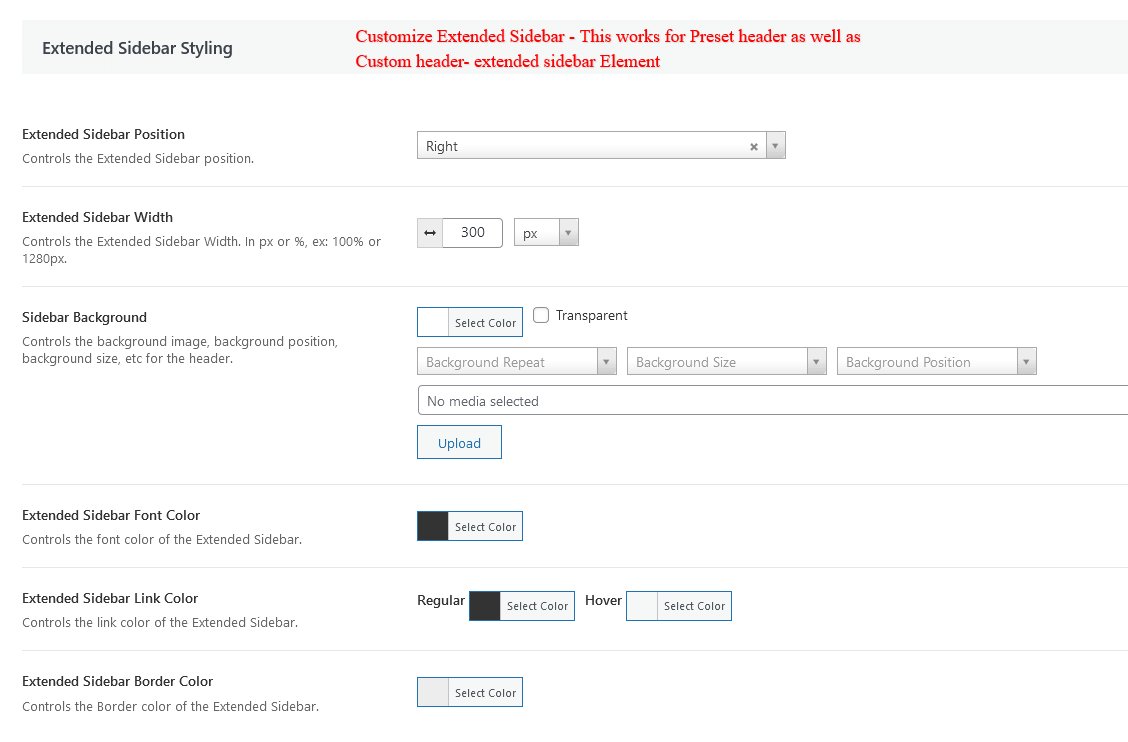
Header Background #
The following settings work with Preset Header and Custom Header set form Apress Theme options.
Set Header Color – Controls the background image, background position, background size, etc for the header.
Header Typography – These settings control the typography for Header Font.
100% Header Width – Check this box to set the header to 100% of the browser width. Uncheck to follow site width. Only works with wide layout mode.
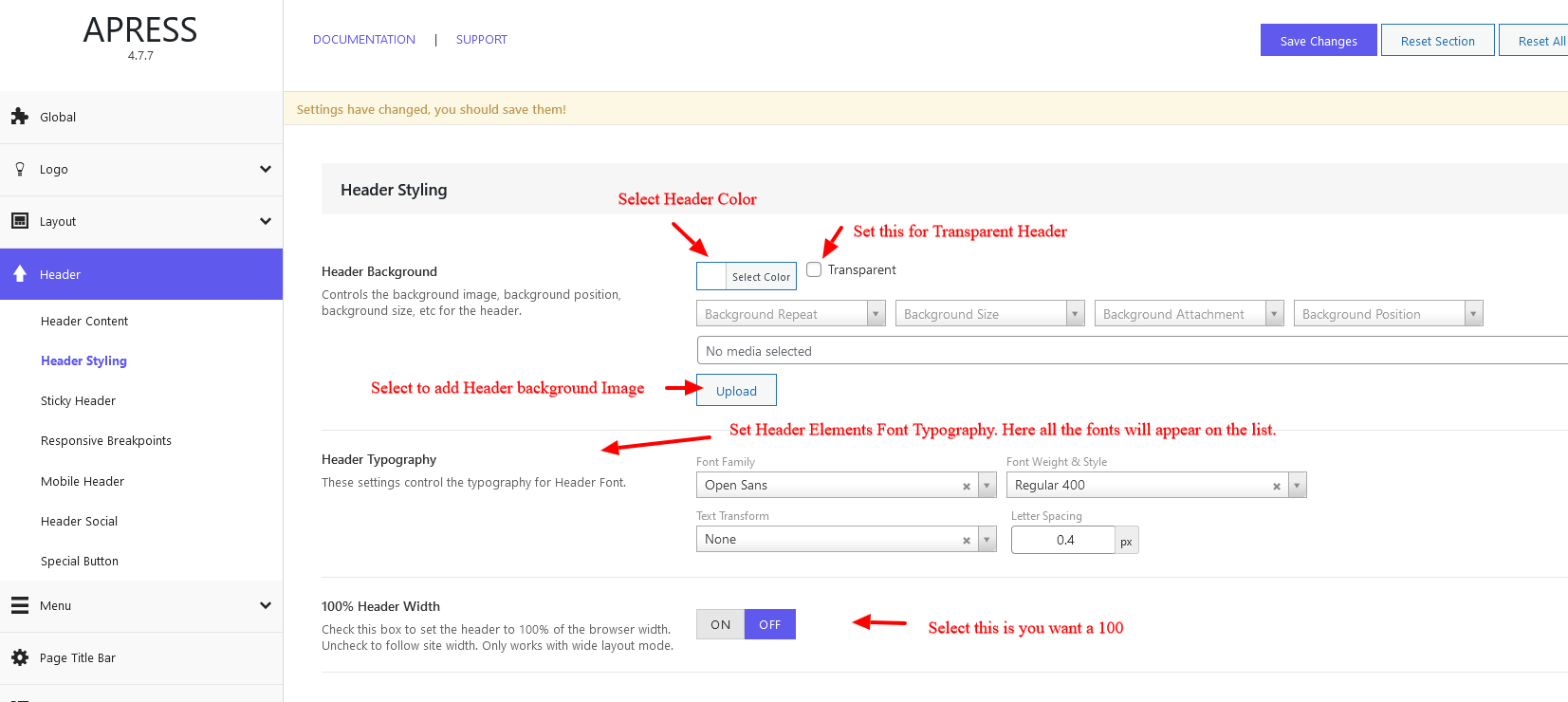
Top Bar Styling #
Customize Styling for Top bar Section – This works for Preset Headers & Custom Header.
Select Top bar styling options –
Section Height – Controls the top bar height
Top Bar Padding – Controls the right/left padding for top bar.
Top Bar Background Color Option– Select color or gradient for top bar background.
Top Bar Border – Add border for top bar section.
Top Bar Border Color – Add top bar border color
Top Bar Font Color – Add top bar font color – regular and hover color
Section One Element Space – Controls the space of the section One Element like space between social and tagline.
Header Element Separator – Select if separator needed.
Top Bar Font Size – Set the top bar font size.
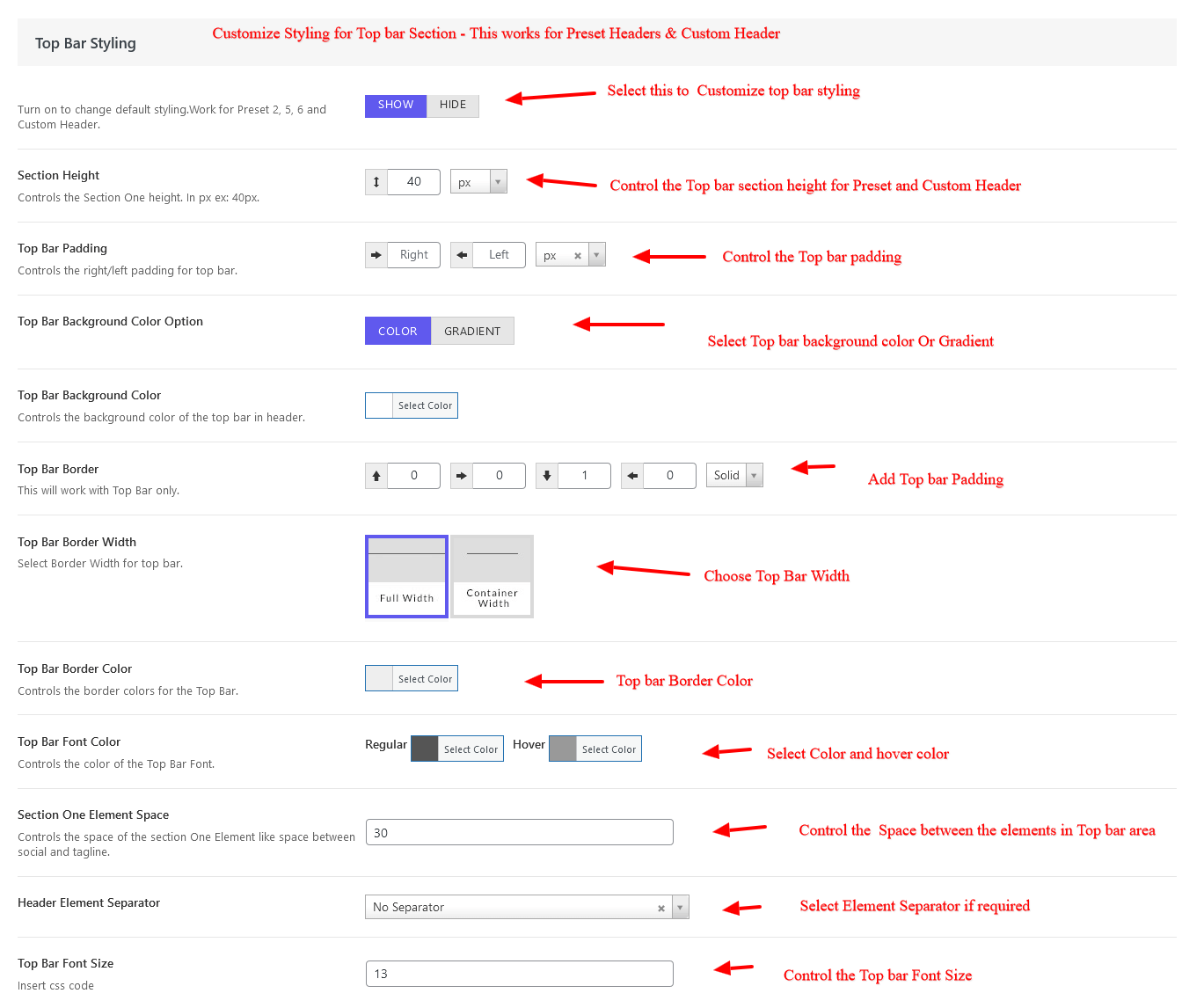
Section Two Styling #
Customize Styling for Primary Header ( Section2 ) – This works for Preset Headers & Custom Header.
Select Section styling options –
Section Height – Controls the top bar height
Section 2 Padding – Controls the right/left padding for top bar.
Section 2 Background Color Option– Select color or gradient for top bar background.
Section 2 Border – Add border for top bar section.
Section 2Border Color – Add top bar border color
Section 2 Font Color – Add top bar font color – regular and hover color
Section 2 Element Space – Controls the space of the section One Element like space between social and tagline.
Header Element Separator – Select if separator needed.
Section 2 Font Size – Set the top bar font size.
Section 2 Shadow – add shadow to the section
Section Three Styling #
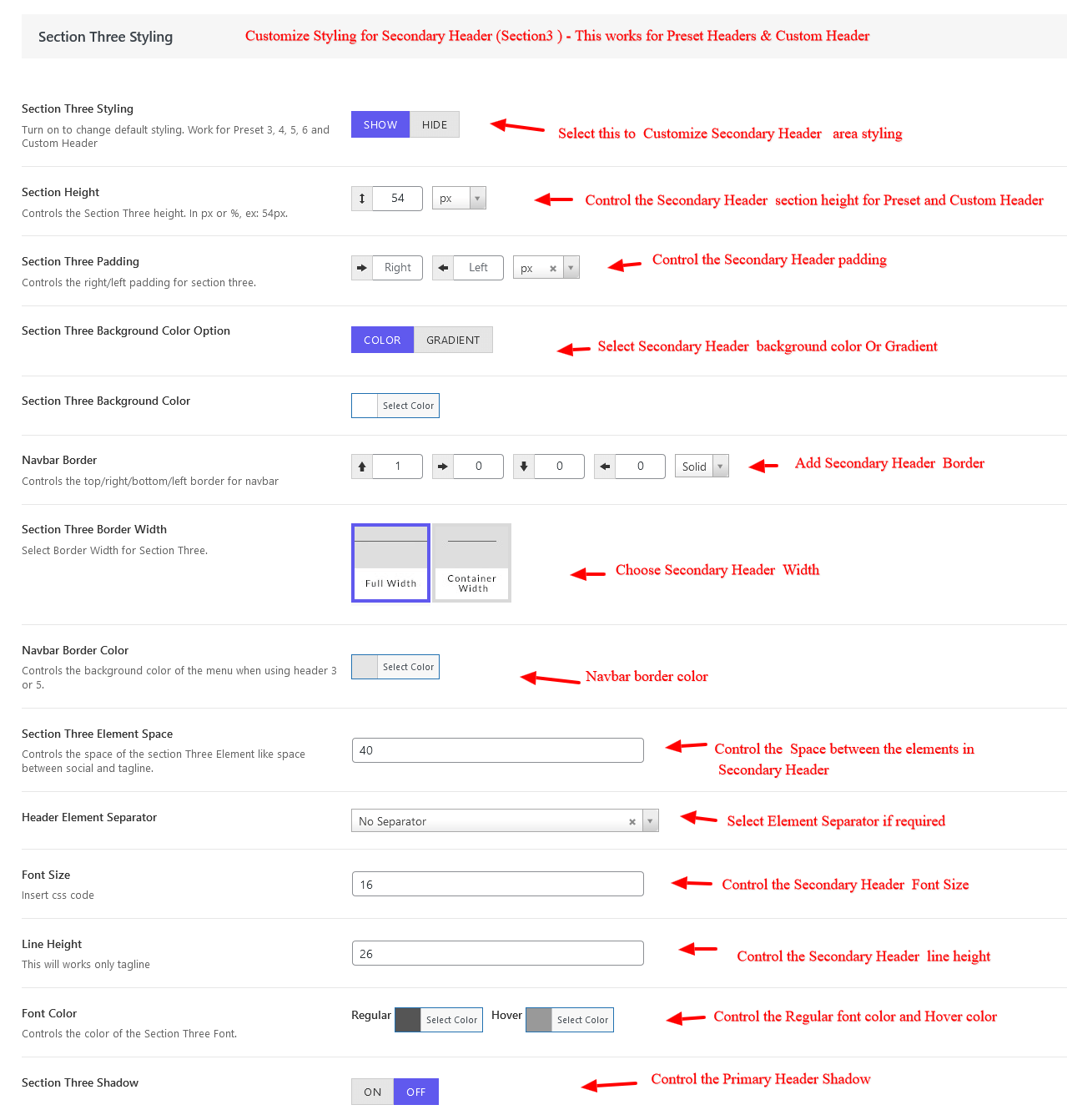
Customize Styling for Secondary Header ( Section3 ) – This works for Preset Headers & Custom Header.
Select Section styling options –
Section Height – Controls the top bar height
Section 3 Padding – Controls the right/left padding for top bar.
Section 3 Background Color Option– Select color or gradient for top bar background.
Section 3 Border – Add border for top bar section.
Section 3Border Color – Add top bar border color
Section 3 Font Color – Add top bar font color – regular and hover color
Section 3 Element Space – Controls the space of the section One Element like space between social and tagline.
Header Element Separator – Select if separator needed.
Section 3 Font Size – Set the top bar font size.
Section 3 Shadow – add shadow to the section
Search Styling #
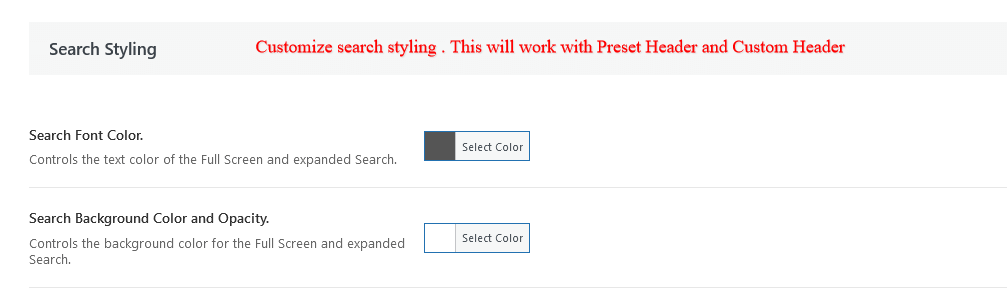
Search Font Color – Controls the text color of the Full Screen and expanded Search.
Search Background Color and Opacity – Controls the background color for the Full Screen and expanded Search.
Note- This works for both Preset Header as well as Custom Header
Extended Menu Option #
Full Screen and Horizontal Menu Background – Controls the color of the full screen and horizontal menu background.
Full Screen Menu Font Color – Controls the Color of the full screen menu font.
Note– This works for both Preset Header as well as Custom Header
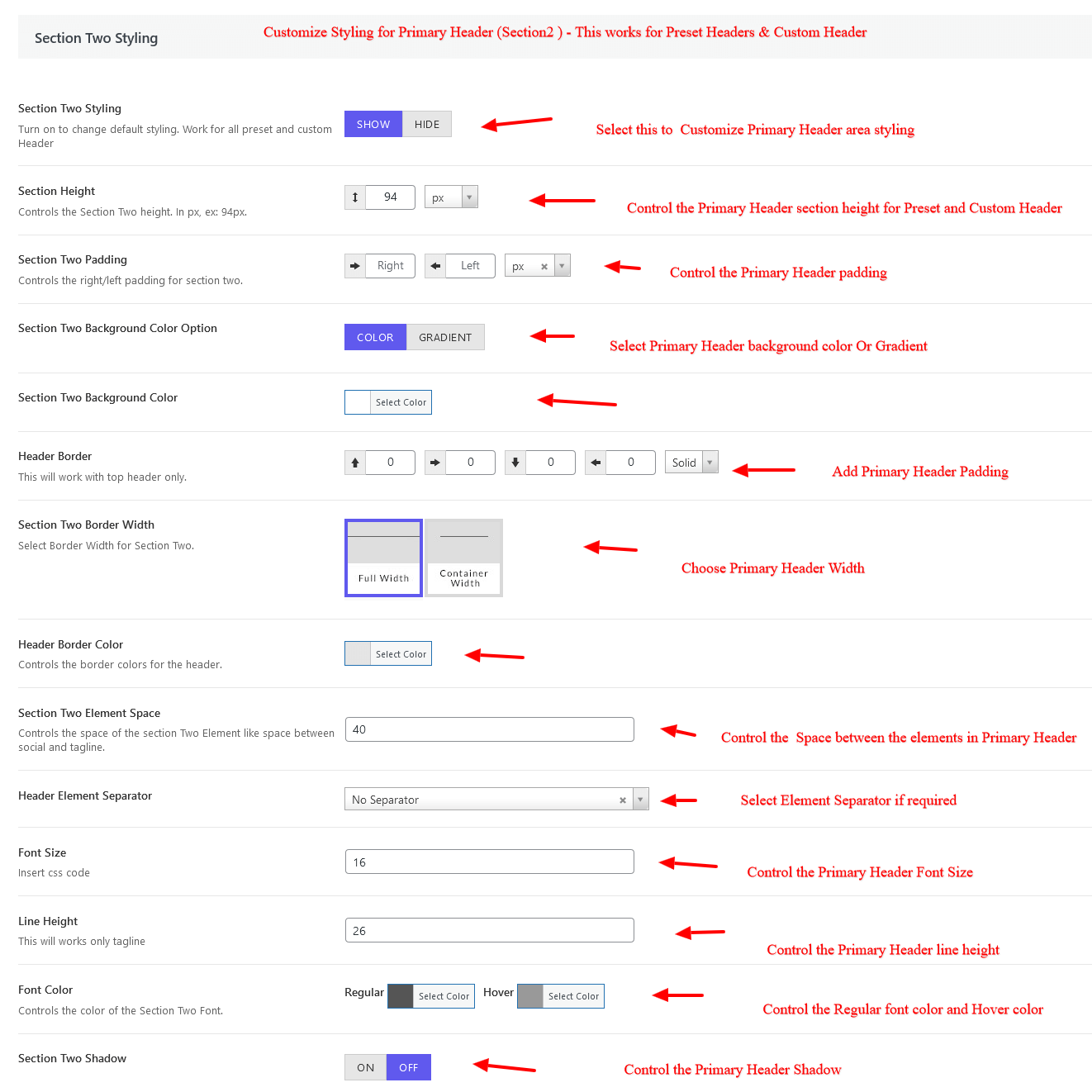
Extended Sidebar Styling #
Extended Sidebar Position – Controls the Extended Sidebar position.
Extended Sidebar Width – Controls the Extended Sidebar Width. In px or %, ex: 100% or 1280px.
Sidebar Background – Controls the background image, background position, background size, etc for the header.
Extended Sidebar Font Color – Controls the font color of the Extended Sidebar.
Extended Sidebar Link Color – Controls the link color of the Extended Sidebar.
Extended Sidebar Border Color – Controls the Border color of the Extended Sidebar.
Note– This works for both Preset Header as well as Custom Header